Wedding Guest Engagement Ideas That Don't Require an App Download
Written by Sindi Robertson
You've read the blog posts. You know the drill. "Use a wedding hashtag!" "Set up a photo booth!" "Try this interactive guest book app!" And then you scroll to the reviews and find the same story repeated in dozens of comments: half the guests never figured out the download, three people got frustrated and gave up, and the tech moment you planned became the awkward pause nobody mentions in the toasts.
Here's the truth about wedding guest engagement in 2025: the ideas that work are the ones that require nothing from your guests except showing up and being present. The moment you introduce a barrier (an app store, a login, a password) you've already lost a significant portion of your crowd.
This is a list of ideas that actually work, ending with the one that tends to create the most spontaneous, genuinely fun energy of the entire reception.
Low-Friction Ideas That Get Real Participation
01. Table conversation cards
Printed questions at each place setting that get people talking before the speeches. "How did you meet the couple?" or "What's your best piece of marriage advice?" Requires nothing digital. Works for every age group.
02. Polaroid guest book
An instant camera at the entrance, a blank book, and a prompt. Guests take a photo, paste it in, write something. Physical, tactile, and zero tech friction. The result is one of the most treasured keepsakes couples report.
03. Prediction cards
Ask guests to make predictions about the couple: first vacation destination, years together before a pet, who says "I love you" more. Seal them for a one-year anniversary open. No app required; just a pencil.
04. Song request cards
A simple card at each table asking guests to request a song they want to hear. The DJ works the list through the night and guests feel heard. Old-school, zero friction, high participation.
These are all solid. But none of them create a moment that the entire room shares simultaneously, the kind of energy that makes people look up from their conversations and feel something collectively. For that, you need a screen.
The Jumbotron Effect: Why Live Photo Sharing Changes the Room
If you've ever been to a sports event and watched someone notice themselves on the jumbotron (the double-take, the pointing, the sudden eruption of energy at that section of the stadium) you already understand the psychology at play here.
When people see themselves on a big screen, something clicks. They feel seen. They feel like they're part of something. And they immediately want to experience that feeling again.
How Liveframe's Presentation Mode works:
With Liveframe, guests scan a single QR code at their table: no app download, no account, nothing to install. They upload a photo from their phone. Seconds later, it appears on the reception screen in Presentation Mode, live in front of the whole room.
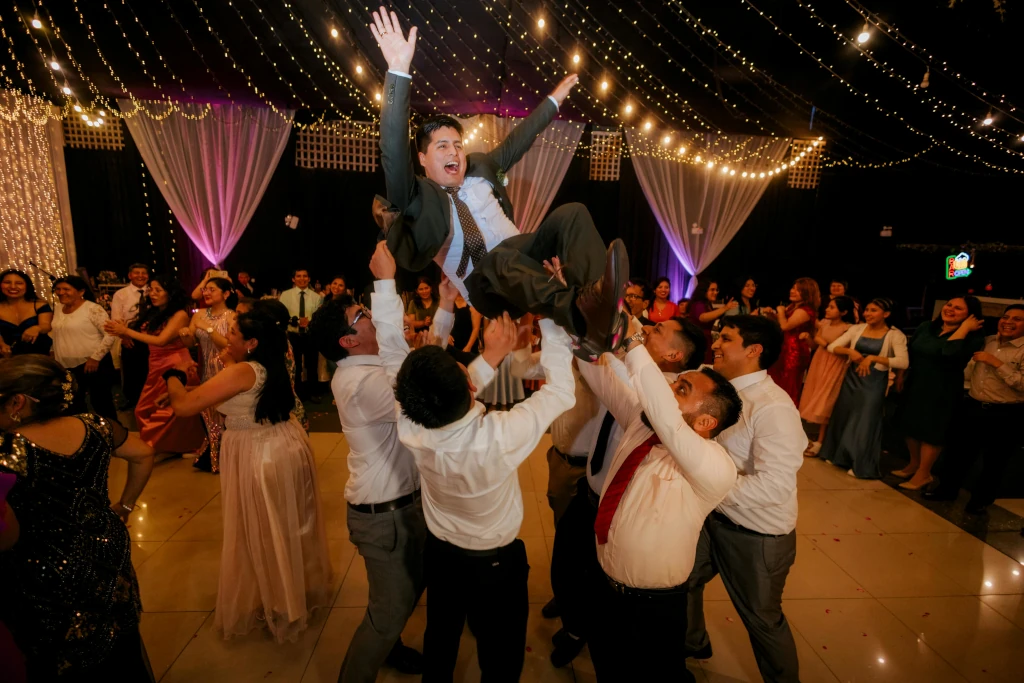
What happens next is the part couples don't expect: the table that uploaded the photo notices it on screen and erupts. Suddenly every other table wants their photo up there too. The flower girl sees herself and loses it. Your college friends start competing to get the best shot displayed. The dance floor empties for a moment as people reach for their phones, and then fills back up again, buzzing.
It's not a distraction from your wedding. It's participation in it.
Why "No App Required" Is the Most Important Feature
Your 72-year-old great-aunt does not have storage space for another app. Your college friend who flew in from overseas has her phone on roaming and is watching her data. The groomsman who's been celebrating since the rehearsal dinner is not reading the fine print on any terms of service tonight.
Liveframe works because it asks nothing of your guests except to scan a QR code, something that now lives in the muscle memory of most smartphone users. That's it. No download prompt. No "allow notifications." No password.
What Liveframe brings to your reception:
- QR code at each table: scan once, upload instantly, no app or login required
- Live Presentation Mode: guest photos appear on screen in real time, creating the jumbotron effect
- Guest polls: fun, real-time participation everyone can join in seconds
- Remote guest participation: friends and family who couldn't attend can join via link and contribute too
- Full-quality photo archive after the event, with every image downloadable in one go
The Engagement Idea That Does Double Duty
Most guest engagement ideas create a moment. Liveframe creates a throughline, something that hums along in the background of your entire reception, giving guests something to do between speeches, during dinner, while they're waiting for the cake to be cut.
And then at the end of the night, every photo your guests took (the candids, the table shots, the dancing, the moments your photographer was on the other side of the room for) are waiting for you in a single archive. No group chat to scroll through. No chasing anyone down. Just everything, in one place, in full quality.
The best wedding engagement ideas are the ones guests don't even notice as "engagement ideas." They just feel like being part of the wedding. That's what you're going for.
Turn every guest's phone into part of the celebration.
Liveframe's QR-based photo sharing and live Presentation Mode create genuine reception energy: no downloads, no friction, no forgotten group chats.
Try Liveframe Free →
No credit card required · Set up in under 10 minutes · Free for small events
About the Author
Sindi Robertson is a marketing strategist who helps purpose-driven companies find their voice. She partners with Liveframe to shape how the brand shows up for the people who plan events and care deeply about how every guest experiences them.
Read more stories by Sindi