How to Gather Photos and Memories for a Celebration of Life
Written by Adam Sparks
Planning a celebration of life is an act of love done under impossible conditions. You're holding grief and logistics at the same time, trying to honor someone's entire story while fielding RSVPs, coordinating food, and figuring out what to say at the microphone.
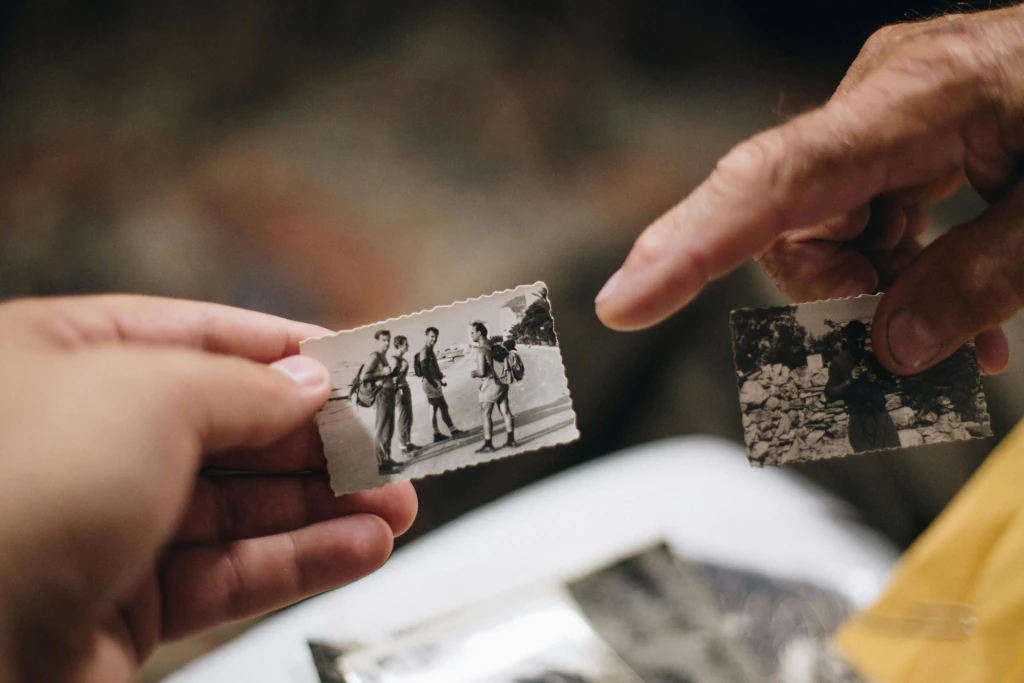
The photos are the part that sneaks up on you. You know they exist. Decades of them, spread across the phones of cousins who drove in from out of state, the camera rolls of childhood friends you haven't seen in years, the shoeboxes in someone's spare bedroom, the Facebook albums that are set to private. Every person in that room carries a piece of this person's life that no one else has.
And if you don't create a way to collect those pieces, most of them will go home with people and never resurface.
Why This Is Harder Than It Sounds
Gathering photos for a celebration of life is different from any other kind of event photo collection. The timeline is compressed. People are grieving. The technological range in the room can be extreme: a grandchild with the latest iPhone sitting next to an elderly neighbor who still prints photos at the drugstore.
The usual approaches don't hold up well under these conditions.
| Method | What Works | Where It Breaks |
|---|
| Facebook group or album | Familiar to older relatives | Requires an account; younger family may not be on Facebook; photos compress |
| Group text or WhatsApp | Easy for close family | Gets overwhelming fast; compressed photos; no way to organize or download all at once |
| Google Drive folder | Full-quality uploads | Requires sign-in; confusing for non-tech guests; no one knows where to find it later |
| Asking people to email photos | Simple to explain | Almost nobody actually does it, especially in the weeks after a loss |
The problem isn't that people don't want to share. It's that grief is exhausting, and anything that requires effort (a login, a download, a follow-up message) is friction that most people, understandably, won't push through.
The QR Code Approach: Why It Works for This Kind of Gathering
The simplest method that consistently gets participation is a QR code, placed where people naturally have their phones out. One scan, and guests can upload photos directly from their camera roll. No app to download, no account to create, no password to remember.
This matters even more at a celebration of life than at a wedding or birthday. People arrive carrying photos they've already pulled up on their phones, old pictures they found that morning, screenshots from years-old text threads. The easier you make it to share those photos in the moment, the more you'll actually receive.
This is exactly how Liveframe works. You create an event, print a QR code, and guests scan to join and contribute from their own devices. The photos collect in one place, in full quality, and you can download the complete archive afterward.
What Liveframe gives you:
- A single QR code that works for every guest, from teenagers to grandparents: scan and upload, nothing to install
- Photos collected in full resolution, not the compressed versions text messages produce
- A shared space where people can also leave written memories and messages, not just photos
- Guest polls if you want to invite the room to share a favorite memory or answer a question together
- Everything saved and downloadable long after the gathering ends, when people are ready to look back
- Free for small gatherings, so there's no barrier to getting started
How to Set It Up Before the Gathering
Setup takes about ten minutes, which matters when your bandwidth is already stretched thin.
Step 1
Create your event at liveframe.app. Give it a name (the person's name, or something like "Remembering [Name]"), set the date, and you're ready. No design decisions, no complicated configuration.
Step 2
Download your QR code and include it anywhere attendees will see it: a card at the sign-in table, a framed print near the photo display, the back of the program. If you're sending a digital invitation or have an event page, include the link there too so people can contribute photos before they even arrive.
Step 3
Consider seeding the album yourself before the gathering. Upload a handful of photos you already have. When people arrive and see that others have already contributed, they're much more likely to add their own.
Step 4
After the gathering, download the full archive. All the photos, in full resolution, organized and in one place. This is the part that matters most in the weeks and months that follow, when family members want to look back, when someone is putting together a photo book, when a grandchild asks to see pictures.
On the Day: Making It Feel Natural, Not Technical
A celebration of life is not the place for a tech demo. The goal is for photo sharing to feel like a natural extension of the gathering, not an activity that needs to be explained.
A few things that help:
Put the QR code where eyes already go. Near the photo display, on the sign-in table, at each seat. Liveframe has a free printable table tent generator if you need somewhere to start. Anywhere people are already pausing and looking.
Ask one or two people to seed it early. If a close family member or friend uploads a few photos in the first hour, other attendees see that it's already happening and follow naturally.
Mention it once, gently. A brief note in the program or a single line from whoever is opening the gathering is enough. Something like: "We've set up a way to collect photos and memories from everyone here today. There's a QR code on your table if you'd like to share."
Leave it open afterward. People often find more photos in the days after a gathering, things they forgot they had. Keeping the Liveframe event open for a week or two lets latecomers contribute without you having to chase anyone down.
The Part That Matters Most
The photos you collect at a celebration of life are unlike any other photos. They span decades. They show a person in contexts their immediate family may never have seen: at work, at college, in a friendship that predates everyone else in the room. They fill in the picture.
When people gather to celebrate someone's life, they bring stories. They bring memories. They bring photos on their phones that they pulled up that morning and haven't put away. A simple, frictionless way to share those photos means that the collective portrait of this person, built from every corner of their life, doesn't scatter back to forty different camera rolls when everyone goes home.
It stays in one place. And the family gets to keep all of it.
Collect every memory, from every person who loved them.
Set up your gathering on Liveframe in minutes. Guests scan a QR code, you get all their photos and memories in full quality. No group chats. No chasing people down.
Try Liveframe Free →
No credit card required · Set up in under 10 minutes · Free for small gatherings
About the Author
Adam Sparks is the founder of Sparkstone and the creator of Liveframe, built originally for his own pandemic wedding and has continued to grow from there.
See why Adam Built Liveframe